Quick Start
General
The tool is invoked from the command line using the main script name, FAIRLinked, followed by a command and its specific arguments.
FAIRLinked [COMMAND] [OPTIONS]
To see the help message for any command, use the -h or --help flag.
FAIRLinked filter -h
FAIRLinked generate-template -help
InterfaceMDS Commands
These commands are used for interacting with the Materials Data Schema (MDS) ontology.
filter
Get terms associated with a certain Domain, Subdomain, or Study Stage.
Usage
FAIRLinked filter -t <SEARCH_TYPES> -q <QUERY_TERM> [OPTIONS]
Arguments
-q, --query_term: (Required) Enter the domain, subdomain, or study stage.-t, --search_types: (Required) Specifies the search criteria. Choices:"Domain","SubDomain","Study Stage".-op, --ontology_path: Path to the ontology file. Defaults to"default".-te, --ttl_extr: Specifies whether user wants to save search results. Enter T or F. Defaults to"F".-tp, --ttl_path: If user wants to save search results, provide path to save file. Append file name at the end of the path.
view-domains
Display unique Domains and SubDomains from the ontology.
Usage
FAIRLinked view-domains
dir-make
View and make directory tree of turtle files based on domains and subdomains.
Usage
FAIRLinked dir-make
add-terms
Add new terms to an existing ontology file via an interactive session.
Usage
FAIRLinked add-terms -op <PATH_TO_ONTOLOGY>
term-search
Search for terms by matching term labels using a fuzzy search algorithm.
Usage
FAIRLinked term-search
RDFTableConversion Commands
These commands facilitate the conversion of tabular data (CSV) to and from RDF (JSON-LD format).
generate-template
Generate a JSON-LD template based on a CSV file.
Usage
FAIRLinked generate-template -cp <CSV_PATH> -out <OUTPUT_PATH> -lp <LOG_PATH> [OPTIONS]
Arguments
-cp, --csv_path: (Required) Path to CSV file.-out, --output_path: (Required) Path to output JSON-LD file.-lp, --log_path: (Required) Path to store files that log labels that could/couldn’t be matched to a term in MDS-Onto.-op, --ontology_path: Path to ontology. To get official MDS-Onto choose ‘default’.
serialize-data
Create a directory of JSON-LDs from a single CSV file.
Usage
FAIRLinked serialize-data -mdt <TEMPLATE_PATH> -cf <CSV_FILE> -rkc <ROW_KEY_COLS> ...
Arguments
-mdt, --metadata_template: (Required) Metadata template (path to JSON file if using CLI).-cf, --csv_file: (Required) Path to the CSV file containing the data.-rkc, --row_key_cols: Comma-separated list of column names used to uniquely identify rows (e.g. col1,col2,col3).-ic, --id_cols: Choose columns used to uniquely identify a specific entity, such as a sample, a sample set, tool etc…-orc, --orcid: (Required) ORCID identifier of the researcher.-of, --output_folder: (Required) Directory where JSON-LD files will be saved.-pc, --prop_col: Python dictionary literal to define relationships between columns.-op, --ontology_path: Path to ontology. Must be provided if ‘prop_col’ is provided.-base, --base_uri: Base URI used to construct subject and object URIs.-l, --license: License used, find valid licenses at https://spdx.org/licenses/.
Note
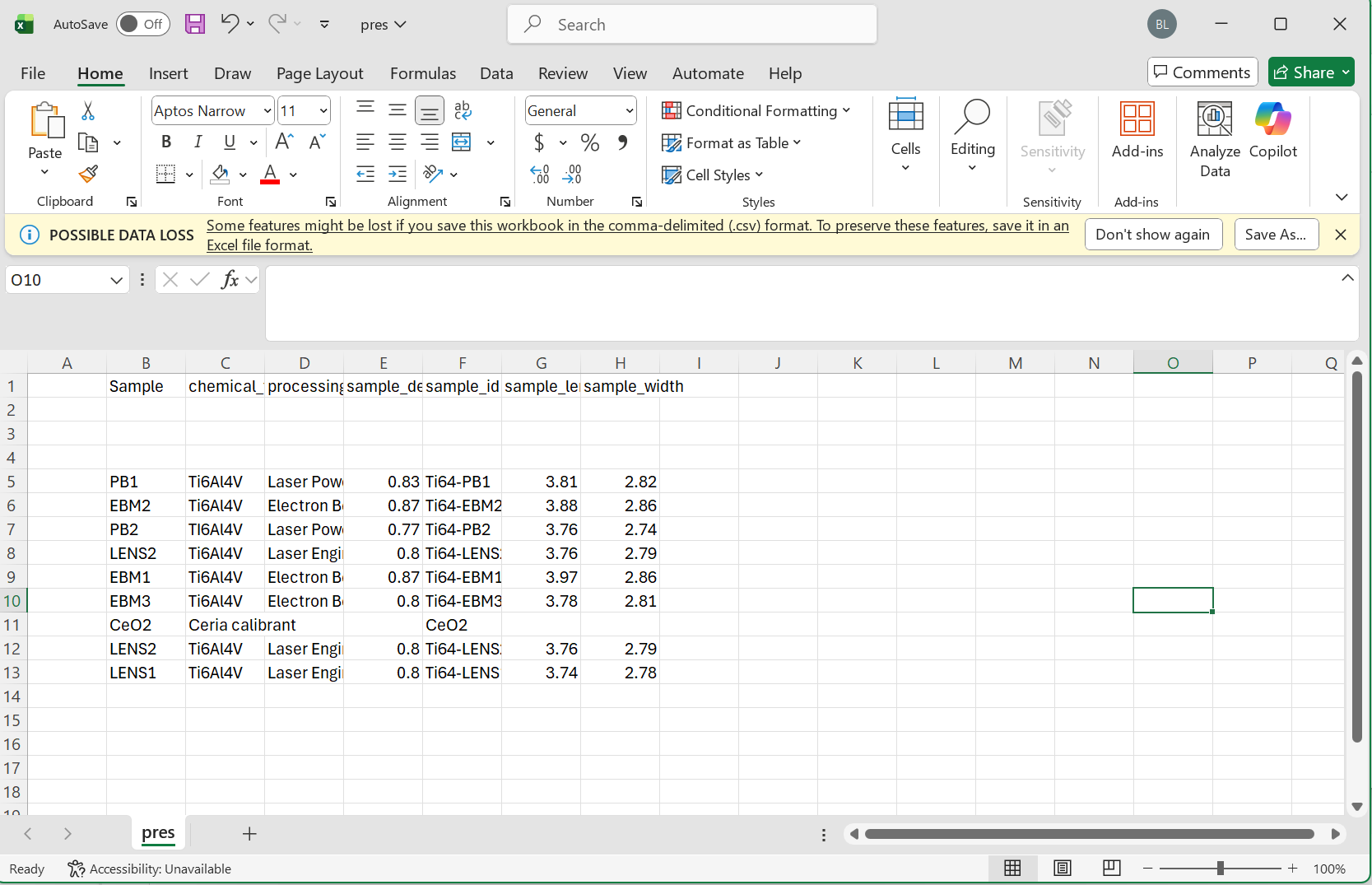
Please make sure to follow the proper formatting guidelines for the input CSV file.
Each column name should be the “common” or alternative name for this object
The following three rows should be reserved for the type, units, and study stage in that order
If values for these are not available, the space should be left blank
Data for each sample can then begin on the 5th row
Please see the following images for reference:
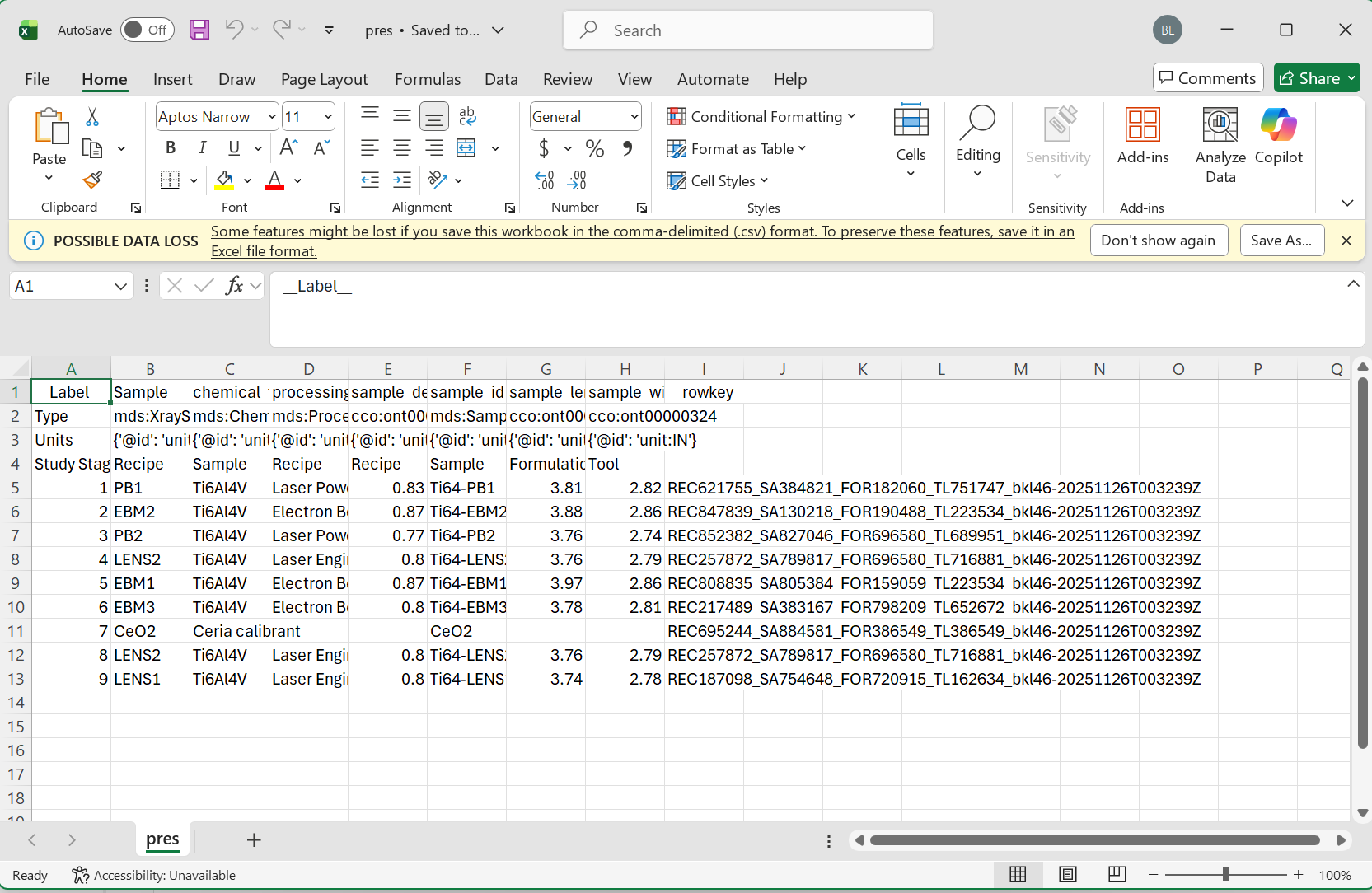
Minimum Viable Data:
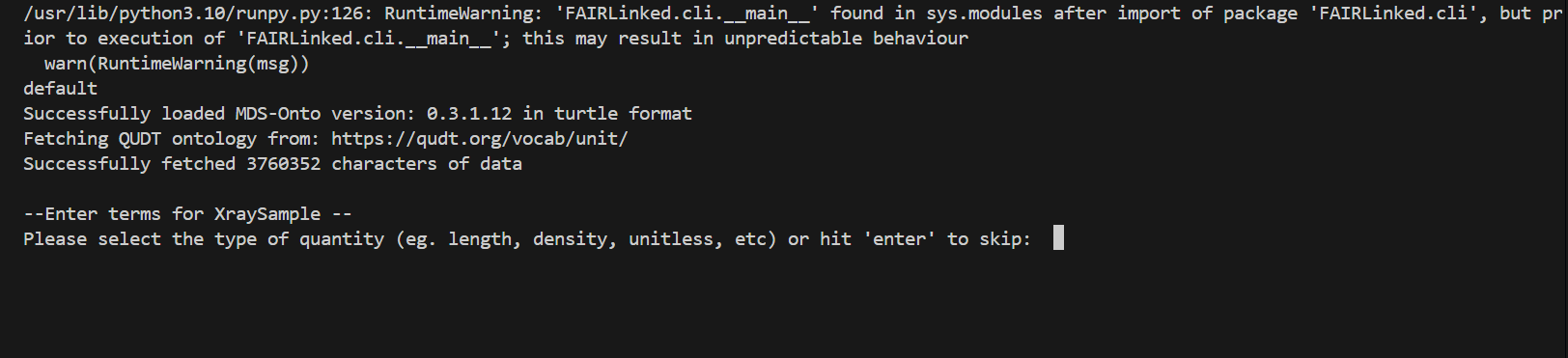
During the template generating process, the user may be prompted for data for different columns. When no units are detected, the user will be prompted for the type of unit, and then given a list of valid units to choose from.
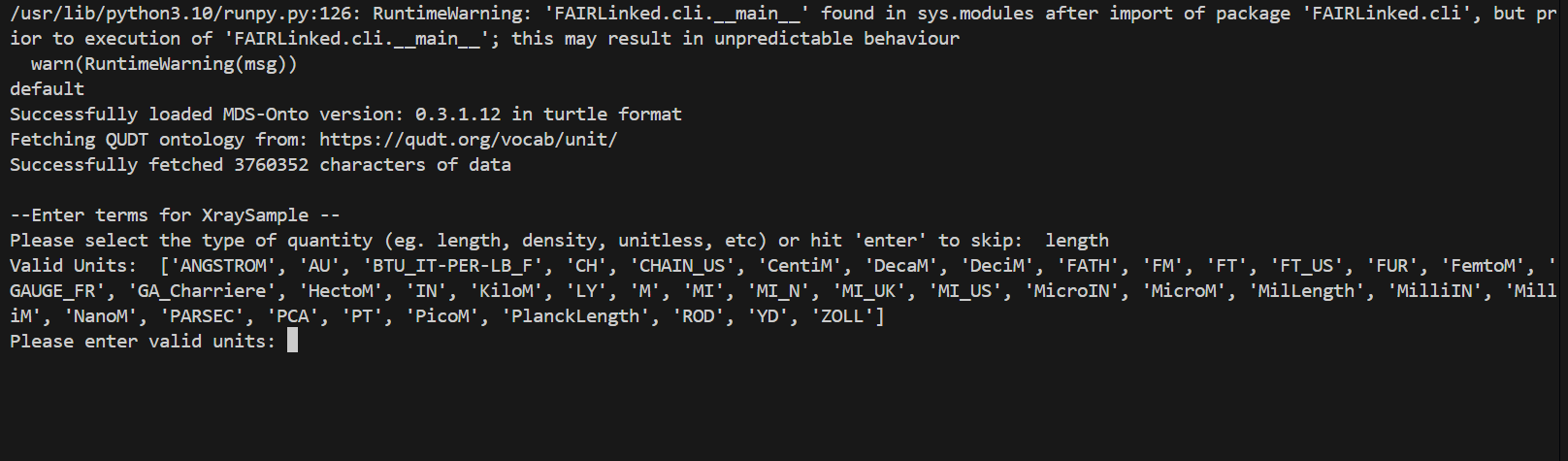
When no study stage is detected, the user will similarly be given a list of study stages to choose from.

deserialize-data
Deserialize a directory of JSON-LDs back into a CSV.
Usage
FAIRLinked deserialize-data -jd <JSONLD_DIRECTORY> -on <OUTPUT_NAME> -od <OUTPUT_DIR>
Arguments
-jd, --jsonld_directory: (Required) Directory containing JSON-LD files.-on, --output_name: (Required) Base name of output files.-od, --output_dir: (Required) Path to directory to save the outputs.
QBWorkflow Commands
Commands related to the RDF Data Cube workflow.
data-cube-run
Start RDF Data Cube Workflow.
Description
This command launches an interactive workflow to create richly structured, multidimensional datasets that adhere to the RDF Data Cube vocabulary.
Usage
FAIRLinked data-cube-run